 LYNK&CO 900
Lynk Remote
Your car on your phone, from anywhere: battery, range and location, the climate, live cabin and outside cameras, the car's own screens, the doors, music and the front LED, all from Android or iPhone.
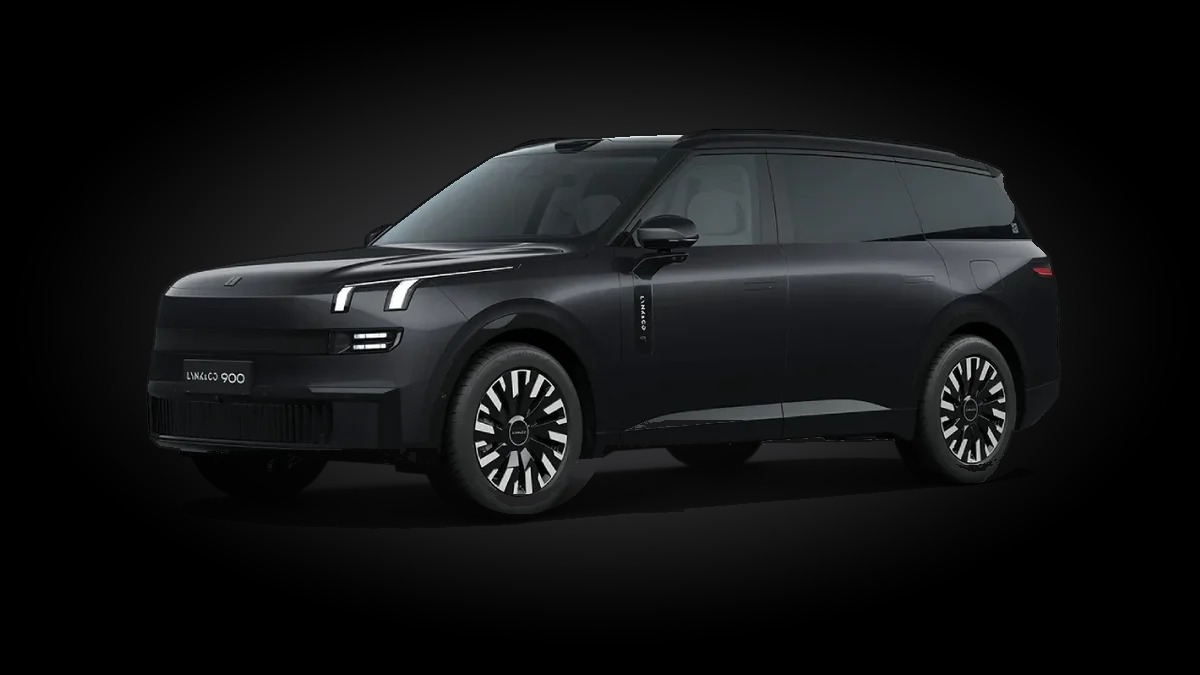
Check on your car, cool it down before you get in and see who is inside,
over the internet, or by Bluetooth when you are close by.
The Android phone app and the Car Remote Installer are sent after your car is approved. Message us on Telegram.
Nothing to install from the App Store: scan the iPhone QR code on the car's screen with the camera, then in Safari tap Share → Add to Home Screen.
The whole car in one app
The same app on Android and iPhone: Home, Climate, Location, Cameras, Screen, LED, Apps and More, plus a round music button that floats over every page.
Lynk & Co 900
Climate
Cameras
Pictures drawn from the app's pages; the values are an example.
What you can do
Everything comes straight from your own car, live.
Car status
EV battery and fuel with their range, total range, outside and inside temperature, gear and speed, and the charging power and time left while it charges.
Climate
Turn the AC on or off, set the temperature and the fan, defrost the front and rear glass, and switch the seat heating and ventilation for both front seats.
Location & trips
See where the car is on a map, where it was last seen, and your recent trips.
Cabin cameras
Both cabin cameras live at once: the front cabin and the rear seats. Switch all the cabin lights on to see better.
Outside cameras
Front, rear, left and right live, the HD front, side and roof cameras, or four at once in a grid. Pinch to zoom and record a video to your phone.
The car's screens
See the front screen live and use it by touch from your phone, and open apps on the driver, passenger or rear screen.
Doors & digital key
Lock and unlock from the app. Digital key mode unlocks as you walk up to the car and locks when you walk away.
Music
A floating music button: what is playing, play and pause, next and previous, mute and a volume slider for the car's speakers.
Talk to the car
A floating mic button: speak in Egyptian Arabic or English and the car carries out your voice command.
Front LED
Pick a shape, equalizer, police or occasion show with your own names, see a live preview strip and send it to the front light bar, with music and sirens.
Stay powered
Keep the car on while it is parked and locked, so the app keeps working after you leave. It switches off by itself after the hours you pick or on low battery.
Works without internet
Close to the car with no signal? The app finds it by Bluetooth for status, climate, doors and music.
Private and safe
Only your phones can reach your car, and the car decides what is allowed.
Private
- End-to-end encrypted. Every picture and command is locked with AES-256 between your phone and your car. The server in the middle only passes on data it cannot read.
- Paired by QR code. The car shows a pairing code; only phones that scanned it can connect.
- Your phones in one list. See the paired phones on the car and unpair any one of them, or make a new code to drop them all.
- Hidden on the car. The car app has no icon and a password of its own: open it with your own secret dialer code.
Safe while driving
- Allow control. Nothing on the car can be changed until you switch Allow control on in the car app.
- Park first. Touching the screen, opening driver apps, the doors and the climate only work while the car is in P.
- Never sneaks a command in. Each command is numbered, so an old one can never be sent again.
- Licensed per car. Each car is approved by its VIN; phones need no license of their own.
How it works
Getting started takes a few minutes.
Contact us
Message us on Telegram with your car VIN to ask for Lynk Remote and its price.
Pay with RedotPay
Pay with RedotPay and send the receipt on Telegram. Tap the code to make it bigger.
Install on the car
The Car Remote Installer on your Android phone puts Car Remote on the car over the car's network. Your car is then approved.
Pair your phone
The car shows two QR codes: scan the Android one with the Lynk Remote app, or the iPhone one with the camera.
Control from anywhere
Switch on Allow control in the car app, and your car is on your phone wherever you are.
Contact us
Questions, or want Lynk Remote on your Lynk & Co 900? Message us on Telegram. Scan the codes with your phone camera: RedotPay to pay, Telegram to message us. Send the receipt and your car VIN on Telegram.
Open in Telegram